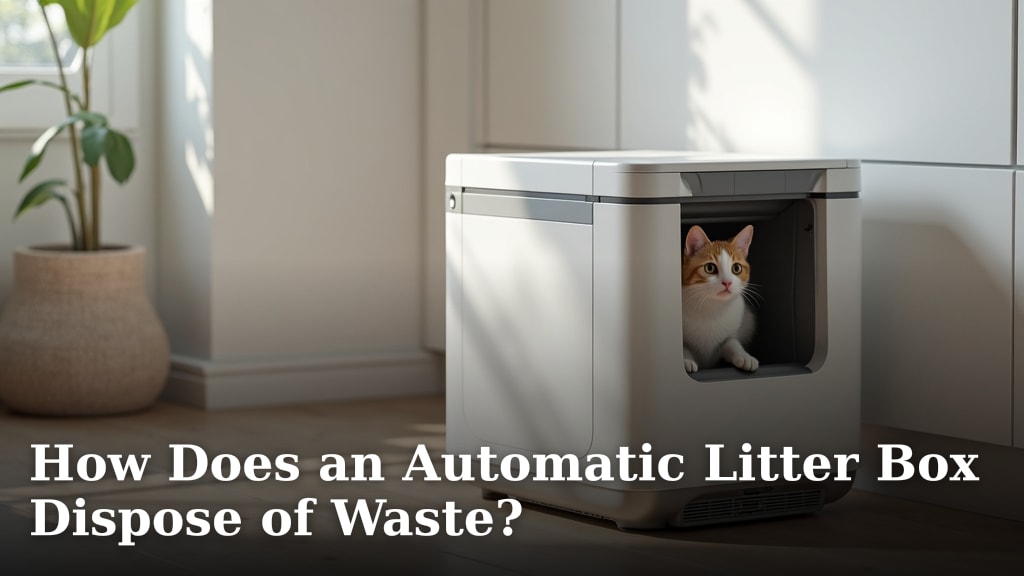
How Does a Litter-Robot Work?
A Litter-Robot waits until your cat leaves, then rotates its litter chamber to sift waste into a drawer. Sensors pause the cycle if a cat returns or the unit detects an issue.
On this page (8 sections)
- How does a Litter-Robot work after a cat uses it?
- What happens during the cleaning cycle?
- Where does the waste go?
- What do the sensors do during a cycle?
- How do app controls and WiFi fit in?
- What should you check before using an automatic litter box?
- What does a Litter-Robot do if something goes wrong?
- How does a Litter-Robot work, in short?
A Litter-Robot waits until your cat leaves, then rotates its litter chamber to sift clumps into a waste drawer. Sensors monitor the cycle and can pause it if a cat returns or the unit detects an interruption.
The system separates waste from reusable litter instead of scooping by hand after every visit. Exact cycle timing, controls, and alerts depend on the model.
How does a Litter-Robot work after a cat uses it?
A Litter-Robot detects a visit, waits for your cat to leave, and then turns its litter chamber to separate clumps. Waste drops into a drawer while sifted litter stays in the chamber.
The delay gives clumps time to form before sifting. Your model's settings and instructions explain how long its cycle waits and how to change that timing.
Automatic boxes use different approaches to sense visits. See how automatic litter boxes know when to clean for the broader process, or what sensors automatic litter boxes use for common sensor types.
How does the Litter-Robot detect a cat?
Sensors help the unit register a cat's presence and hold off on cleaning during a visit. When the cat leaves and the wait period ends, the unit can begin its cycle.
Sensor placement and behavior vary across automatic boxes, so don't assume every model detects a cat in the same way. This overview of how an automatic litter box detects a cat covers the basic distinction.
What happens during the cleaning cycle?
During cleaning, the litter chamber rotates so clumps can be sifted away from reusable litter. The clumps fall through an opening into the waste drawer, and the chamber returns to its ready position.
This process depends on litter that forms clumps the sifting system can separate. Check the manual for approved litter and fill levels, and remove objects that could block the chamber.
A cycle may stop if a cat approaches or the machine detects a problem. For model-specific signals, use our guide to what Litter-Robot 4 lights mean.
Where does the waste go?
The sifted clumps collect in a drawer beneath the chamber. You remove the drawer, empty or replace its liner, and return it so the unit can keep collecting waste.
How often you'll need to empty it depends on the model, number of cats, and use. For a closer look at the process, read how an automatic litter box disposes of waste.
A fitted bag can make drawer cleanup simpler if your model supports one. Compare options in our guide to Litter-Robot 4 waste drawer liners, and confirm the fit before buying.
What do the sensors do during a cycle?
Sensors can pause the chamber when they detect a cat or another interruption. That pause helps keep the unit from continuing to rotate while the cat is nearby.
Use the controls and status lights as described in your model's manual. If a warning persists or the unit stops mid-cycle, check Litter-Robot 4 troubleshooting steps before restarting it.
Some automatic boxes also pair sensors with an app for monitoring or control. The FEELNEEDY Automatic Litter Box combines weight sensing with an infrared sensor at the waste-bin port, and offers app monitoring over 2.4G WiFi.
How do app controls and WiFi fit in?
An app can add remote status checks, cleaning controls, or reminders, depending on the model. WiFi is an added control path; it doesn't replace the box's own cleaning process.
FEELNEEDY and Cumrige both describe app control and 2.4G WiFi support. The Cumrige box also offers one-touch waste disposal and health tracking through its app.
If the connection is part of your setup, follow the maker's instructions for your model. Our walkthrough explains how to connect or reconnect Litter-Robot 4 to WiFi.
What should you check before using an automatic litter box?
Check the manual for litter type, fill level, setup, and safety instructions before turning on automatic cleaning. Keep the waste drawer fitted correctly, and check the chamber for litter or objects that may block movement.
The Lohhuby Automatic Cat Litter Box Self Cleaning offers app control over 2.4G WiFi and an open design. Its inner drum lifts out for cleaning, according to its stated care instructions.
Introduce an automatic box gradually if your cat is wary of a new unit. Keep a familiar litter option available while your cat adjusts, and don't run the cycle with your cat inside.
What does a Litter-Robot do if something goes wrong?
A Litter-Robot may pause or show an indicator when a sensor detects an interruption or the chamber cannot move normally. Check the displayed alert and follow the model's steps before trying another cycle.
Remove only visible obstructions that the manual says are safe to clear. If an alert returns, stop using the unit and contact the maker's support rather than forcing the chamber.
How does a Litter-Robot work, in short?
For anyone asking how a Litter-Robot works, the core is a sensor-triggered wait followed by rotation, sifting, and waste collection. The chamber retains usable litter, and the drawer holds separated clumps for removal.
Choose a model based on the controls, maintenance steps, and litter requirements you can manage. Check the specific manual for cycle timing, safe operation, and cleaning instructions.
Frequently asked questions
How does a Litter-Robot know when a cat has left?
A Litter-Robot uses sensors to detect a cat's presence and wait until the cat exits before starting its cleaning cycle. Exact sensor types and timing can vary by model and settings.
Keep the unit's instructions nearby, and check its status indicators if it doesn't start as expected.
Does a Litter-Robot scoop the waste?
No, its rotating chamber sifts clumps from reusable litter and moves them into a waste drawer. The litter stays in the chamber for your cat's next visit.
Empty the drawer and maintain the unit on the schedule in its manual, since capacity and reminders vary by model.
Is a Litter-Robot safe if a cat approaches during cleaning?
Safety sensors are designed to pause a cleaning cycle when they detect a cat or an interruption. Keep cats away while the chamber is moving, and follow the model's instructions if a sensor warning appears.
A pause feature does not replace supervision or regular checks of the unit.
What litter can you use in a Litter-Robot?
Use litter types approved for your specific model, since clumping ability and grain size affect how well the sifting process works. Check the manual before changing litter, and avoid assuming that a type used in another automatic box will work the same way.